Queue
A queue is the service or turn type where people line up. Each queue defines a type of service, and all tickets in that queue share the same numbering.
You can have as many queues as you want in a location. For example:
- A supermarket can have a fruit shop queue, a fish shop queue and a deli queue, all at the same time and separate.
- A corner fruit shop can have just one queue.
- A hospital can have many queues: Emergency, Pediatrics, Information…
Created inside a location
Section titled “Created inside a location”Queues belong to a location. In the dashboard you first select the location and, once selected, you see the menu to create counters, queues, flows, etc.
Queue fields
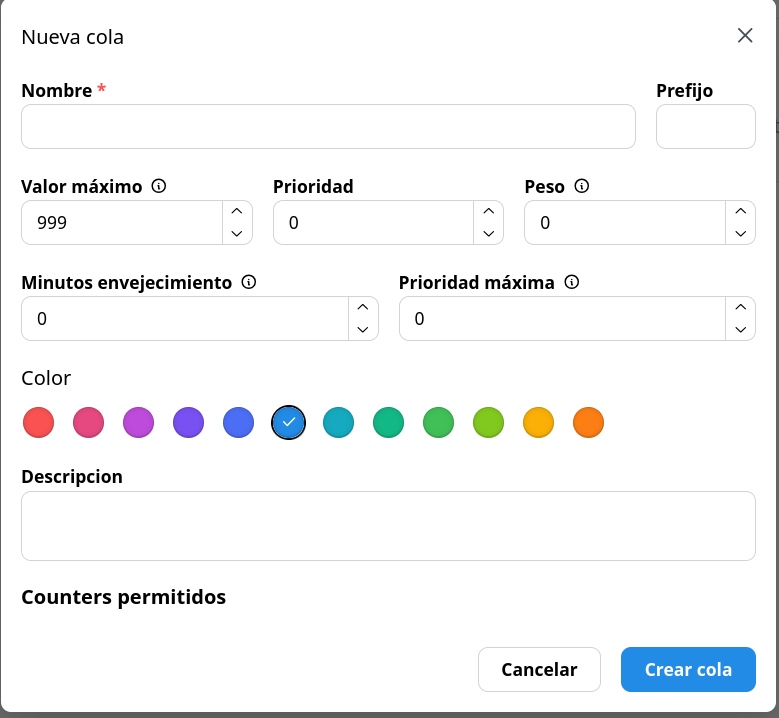
Section titled “Queue fields”When creating a queue you define:
| Field | Description |
|---|---|
| Name | What you see in the dashboard (for example, “Fruit shop”). |
| Prefix | What goes in front of the ticket number (for example, F-001 or C-005). |
| Max value | Maximum ticket number. When this value is reached, numbering restarts at 1. |
| Priority | Turns with higher priority are called first. |
| Weight | Ratio between queues with the same priority (for example, 3 tickets of one queue for every 1 of another). |
| Aging | Every X minutes, a waiting turn rises one priority level, with a configurable maximum, so nobody waits forever. |
| Counters | If there are counters created, you can select which ones can call this queue. |
| Color | To tell queues apart at a glance. |
| Description | (Optional) Free text with more context. |
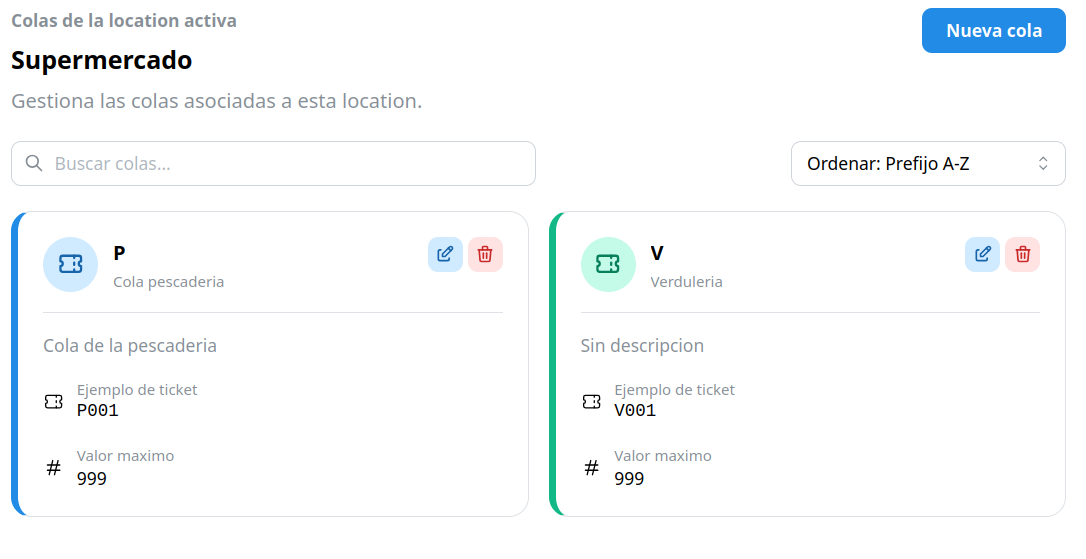
In the dashboard you will see each queue as a card with its name, prefix and color.
Simple queues
Section titled “Simple queues”Priority, weight and aging are advanced options. For simple queues served as customers arrive, you can ignore these fields completely: tickets are called in order of arrival.