Counter
A counter is a checkout or workstation that serves turns. It is the point from which staff call the customers who are waiting, and also the destination those customers head to once they are called.
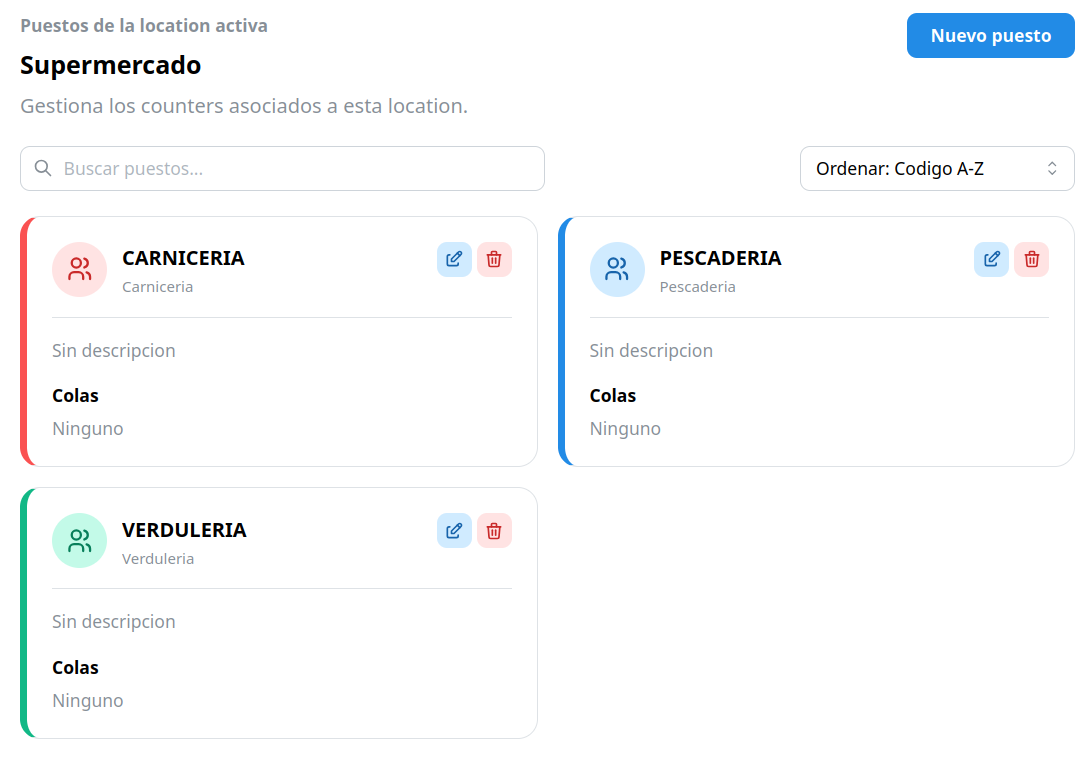
You can create as many counters as you want for each location.
Created inside a location
Section titled “Created inside a location”Counters belong to a location. In the dashboard you first select the location and, once selected, you see the menu to create counters, queues, flows, etc.
Counter fields
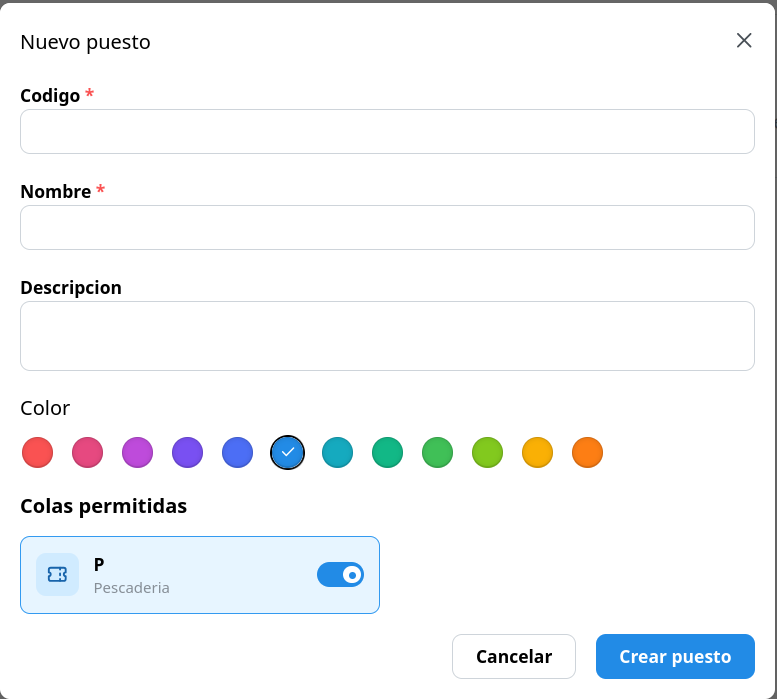
Section titled “Counter fields”When creating a counter you define:
| Field | Description |
|---|---|
| Code | What is shown on the monitors (for example, C1). |
| Name | What you see in the dashboard (for example, “Checkout 1”). |
| Description | (Optional) Free text with more context. |
| Color | To tell counters apart at a glance. |
| Queues | If there are queues created, you can select which ones this counter can call. |
In the dashboard you will see each counter as a card with its code, name and color.